
Official hosting partner
Host your own Lunchtime server.
Play Lunchtime with your friends in a world that's always there. BisectHosting installs the pack for you in one click, and code LUNCH takes 25% off.

25% off your server
CodeLUNCH
Enter it in the Promo Code box at checkout, then choose Apply.
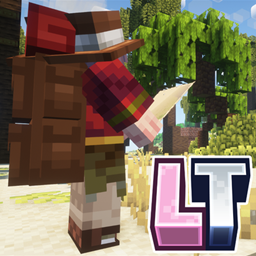
Lunchtime Cozy Create and Cookingv2.5.1 · Minecraft 1.20.1 · Forge · in BisectHosting's one-click installer

- One-click modpack install
- 24/7 support
- Free DDoS protection
- 21 server locations
- Free server backups
- Free subdomain
Why run a Lunchtime server?
Lunchtime is made for playing together. A hosted server keeps your shared world running for everyone, without anyone leaving their computer on.

Play together
Everyone picks their own jobs, so one friend can farm, another cook and another wire up Create machines.

A world that's always there
The server keeps running when the host logs off, so friends can hop on and keep playing whenever they like.

One-click setup
Lunchtime is in BisectHosting's automatic modpack installer, so you never have to upload 338 mods yourself.

Easier than doing it yourself
A control panel for settings, a Modloader menu to install and update the pack, a backup manager and support around the clock.
From order to playing in three steps.
Everything happens in BisectHosting's own panel, and their support team can help at any step.
Our full server setup guide- Get your server, 25% off
Open bisecthosting.com/LUNCH (affiliate link: we earn a commission) and choose a Minecraft plan. At checkout, type LUNCH in the Promo Code box and choose Apply. You'll get an email with your panel login. - Install Lunchtime
In the panel, open the Modloader menu, find Lunchtime Cozy Create and Cooking and install it. BisectHosting's Modloader guide - Invite your friends
Share your server address. Each friend installs the same Lunchtime version from CurseForge and joins from Multiplayer. How to join a server
Questions
How do I get a Lunchtime server?
Open bisecthosting.com/LUNCH (affiliate link: we earn a commission), choose a Minecraft plan and apply code LUNCH at checkout. Once your server is ready, install Lunchtime from the Modloader menu in the BisectHosting panel.
Is Lunchtime available as a one-click install?
Yes. BisectHosting lists Lunchtime Cozy Create and Cooking in its automatic modpack install library, so the panel sets up the whole pack for you. How to use the Modloader menu
How do I invite my friends?
Send them your server address. BisectHosting servers come with a free subdomain, which makes it easier to share. Everyone needs the same version of Lunchtime from CurseForge, then joins from Multiplayer. To keep the server private, set up a whitelist.
How do I apply the discount?
When you order, type LUNCH in the Promo Code box and choose Apply. It takes 25% off your server.
Which plan should I choose?
Lunchtime has 338 mods, and modpacks with lots of mods run best with more memory. If you're not sure, ask BisectHosting's support which plan they'd recommend for Lunchtime and how many friends you'll have.
Where can I get help?
For your server, billing or the panel, BisectHosting's support is available 24/7. For anything about the pack itself, ask in our Discord or read the multiplayer guide.
Does using your link support Miso Studio?
Yes. BisectHosting pays us a commission when you buy through our link or code. It's one of the main ways we fund the studio, so thank you.

Ready when your friends are.
Get a Lunchtime server set up in one click, with 25% off.
Hosting features as listed on bisecthosting.com, checked 16 November 2026.